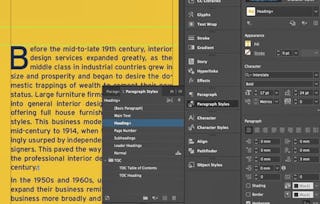
Giving your documents a well-designed, professional look will put you a step ahead in the marketplace cluttered with all kinds of communications. Paragraph and character styles that allow you to format pages of text uniformly, layout features that help you to build alternate size configurations of your document, and various panels that enable you to easily customize both text and graphics; Adobe® InDesign® has all the tools you need to elevate the look of your document and get it out to the people who need to see it, whether it be in print or on the web.

Adobe InDesign CC: Part 1

您将学到什么
In this course, you will use Adobe InDesign to create and deliver professional-looking printed and interactive documents.
您将获得的技能
要了解的详细信息

可分享的证书
添加到您的领英档案
作业
1 项作业
授课语言:英语(English)
最近已更新!
December 2025
了解顶级公司的员工如何掌握热门技能

该课程共有7个模块
There's a lot to discover in a design tool this robust. It's best to get familiar with the basic interface and configure Adobe® InDesign® to your needs before you dive in to creating documents.
涵盖的内容
1篇阅读材料7个插件
The tools are in front of you. It's time to start building a document and adding text and graphics. In this lesson, you will design a document.
涵盖的内容
8个插件
You've created the basic elements of a document by adding text and graphics, but there are so many more details you can add to really set your document apart. In this lesson, you will customize a document.
涵盖的内容
6个插件
You've learned to create a document that contains formatted text and graphics. You've also introduced colors and gradients for visual interest and developed styles to apply throughout the document. Now it's time to investigate the other tools that Adobe® InDesign® offers to further enhance documents and aid in your work flow.
涵盖的内容
8个插件
When working with documents that contain large amounts of text, consider using tables to organize and properly display the information. Adobe® InDesign® provides a robust table feature that enables you to configure and customize just about any type of table. In this lesson, you will build a table.
涵盖的内容
5个插件
Creating a good looking document is not enough. Now you need to make the final preparations for delivering it to its intended audience. There are many things to consider in making these preparations, and Adobe® InDesign® has you covered for every scenario. In this lesson, you will prepare a document for delivery.
涵盖的内容
5个插件
You'll wrap things up and then validate what you've learned in this course by taking an assessment.
涵盖的内容
1个作业2个插件
位教师


人们为什么选择 Coursera 来帮助自己实现职业发展

Felipe M.
自 2018开始学习的学生
''能够按照自己的速度和节奏学习课程是一次很棒的经历。只要符合自己的时间表和心情,我就可以学习。'

Jennifer J.
自 2020开始学习的学生
''我直接将从课程中学到的概念和技能应用到一个令人兴奋的新工作项目中。'

Larry W.
自 2021开始学习的学生
''如果我的大学不提供我需要的主题课程,Coursera 便是最好的去处之一。'

Chaitanya A.
''学习不仅仅是在工作中做的更好:它远不止于此。Coursera 让我无限制地学习。'
从 Computer Science 浏览更多内容
Logical Operations