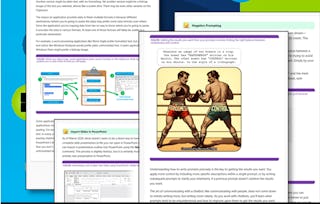
This course is designed for individuals who are familiar with Microsoft 365 but have no advanced computer skills or prior experience using Copilot and who want to learn how to make the most of Copilot's capabilities. It focuses on advanced content creation techniques using Copilot in PowerPoint and Word. You’ll master the art of creating compelling presentations and documents with AI assistance, boosting your ability to communicate ideas effectively. The course covers presentation development, improvement, and advanced editing and formatting techniques across both applications.

Generative AI for PowerPoint and Word to Optimize Content Creation

本课程是 Microsoft 365 with Generative AI 专业证书 的一部分

位教师: Microsoft
访问权限由 New York State Department of Labor 提供
1,863 人已注册
您将学到什么
Learn how to craft effective prompts to generate text, slides, and structured content in Word and PowerPoint.
Develop techniques to refine AI-generated content, ensuring clarity, coherence, and logical flow in presentations and documents.
Learn how to leverage Microsoft 365 Copilot to optimize workflow efficiency by automating routine tasks and enhancing document creation.
您将获得的技能
要了解的详细信息

添加到您的领英档案
25 项作业
了解顶级公司的员工如何掌握热门技能

积累 Business Essentials 领域的专业知识
- 向行业专家学习新概念
- 获得对主题或工具的基础理解
- 通过实践项目培养工作相关技能
- 通过 Microsoft 获得可共享的职业证书

该课程共有5个模块
This module introduces you to the essentials of creating polished PowerPoint presentations using Microsoft Copilot. You’ll explore how Copilot can help you generate, refine, and optimize presentation content while applying best practices for slide design and structure.
涵盖的内容
12个视频11篇阅读材料6个作业
In this module, you'll learn how to elevate your presentations by incorporating multimedia elements, generating enriched content, and applying effective animations and transitions using Copilot. You'll also learn how to tailor your presentations for specific audiences and purposes, refining and polishing them for maximum impact. Through hands-on activities, you'll transform text-heavy slides, expand outlines into content-rich presentations, and adapt materials for diverse contexts with the help of Copilot.
涵盖的内容
11个视频3篇阅读材料6个作业
In this module, you'll explore how to use Copilot for advanced document editing and formatting. You'll learn to restructure long documents, apply and modify styles and templates, and enhance the overall look and readability of your content. With Copilot’s help, you’ll optimize documents for specific audiences and purposes, like transforming an academic paper into a business report. Through hands-on activities, you’ll gain practical experience in refining your documents for maximum impact.
涵盖的内容
10个视频6篇阅读材料6个作业
In this module, you'll learn how to effectively convert a PowerPoint presentation into a well-organized Word document using Copilot. You'll explore how to analyze your slides, extract key content, and structure it into a clear, cohesive document. With hands-on activities, you'll practice transforming your presentation into a detailed report, ensuring consistent formatting and style throughout. This will help you build efficient workflows for creating content across both Word and PowerPoint.
涵盖的内容
10个视频3篇阅读材料5个作业
In this module, you'll apply advanced content creation and formatting skills using Copilot in Word and PowerPoint. You'll choose a complex topic, create a detailed report with an executive summary and data visualizations, then transform it into a 10-15 slide presentation. You'll enhance the presentation with multimedia and transitions, and ensure consistency in branding and style. The project will focus on optimizing for different audiences and streamlining workflows, helping you demonstrate proficiency in creating professional communication materials.
涵盖的内容
2个视频6篇阅读材料2个作业1个插件
获得职业证书
将此证书添加到您的 LinkedIn 个人资料、简历或履历中。在社交媒体和绩效考核中分享。
人们为什么选择 Coursera 来帮助自己实现职业发展

Felipe M.

Jennifer J.

Larry W.

Chaitanya A.
从 Business 浏览更多内容

Logical Operations

Logical Operations