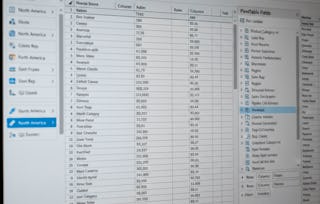
Unlock the power of data visualization and analysis with Excel! In this course, you will learn how to create various types of charts and pivot tables to turn raw data into actionable insights. From basic column and pie charts to complex combination and gauge charts, you’ll gain the skills to represent data visually in a way that tells a compelling story. As you progress, you will also master pivot tables, including techniques for grouping, filtering, and creating multi-level data analysis to enhance your decision-making.
只需 199 美元(原价 399 美元)即可通过 Coursera Plus 学习更高水平的技能。立即节省

您将学到什么
Learn how to create and customize various types of charts in Excel to represent data effectively.
Master pivot tables to analyze and summarize large datasets for deeper insights.
Develop skills in creating advanced data visualizations like combination charts and gauge charts.
Understand how to add trendlines, error bars, and sparklines to enhance your Excel charts.
要了解的详细信息

添加到您的领英档案
January 2026
3 项作业
了解顶级公司的员工如何掌握热门技能

该课程共有2个模块
In this module, we will guide you through creating and customizing different types of charts in Excel, such as column, line, pie, and scatter plots. You'll learn how to visualize your data to uncover trends, correlations, and insights while mastering advanced charting techniques like error bars, sparklines, and combination charts. By the end of this module, you will be able to create charts that clearly communicate your data's story and enhance your analytical reports.
涵盖的内容
15个视频1篇阅读材料
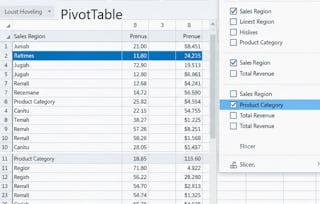
In this module, we will introduce you to the powerful world of pivot tables in Excel, teaching you how to quickly summarize and analyze large datasets. You'll learn how to group items, build multi-level tables, and use advanced features like pivot charts and slicers for interactive reporting. By the end of this module, you'll be equipped with the skills to turn complex data into insightful, actionable reports.
涵盖的内容
9个视频3个作业
位教师

提供方
从 Data Analysis 浏览更多内容
状态:免费试用
状态:免费试用
人们为什么选择 Coursera 来帮助自己实现职业发展


常见问题
Excel Charts and Pivot Tables are essential tools for anyone working with data. Charts allow you to create visual representations of your data, making trends and comparisons easier to understand. Pivot tables, on the other hand, help organize and analyze large datasets by summarizing and restructuring information. These tools are highly relevant in fields such as data analysis, finance, marketing, and business intelligence, where data-driven decisions are crucial.
This course covers the basics and advanced features of Excel’s charting and pivot table functionalities. You'll learn how to create different types of charts, such as column, line, pie, and scatter plots, to visualize your data effectively. Additionally, the course will guide you through creating pivot tables, grouping data, and using features like slicers and calculated fields to perform detailed data analysis.
After completing the course, you'll be able to create a wide range of Excel charts to visualize data clearly and analyze complex datasets using pivot tables. You'll also be able to customize charts with trendlines, error bars, and sparklines, and use pivot tables for grouping, summarizing, and filtering large datasets. These skills will enhance your ability to present and interpret data in any professional setting.
更多问题
提供助学金,