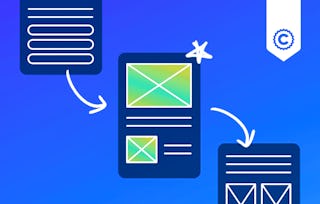
In this introductory course, you'll dive into the exciting realm of UX design, focusing on discovery and low-fidelity design using the powerful tools of Miro and Sketch. This course is ideal for UX designers, professionals working with UX designers, entrepreneurs, and anyone interested in learning how to use Miro and Sketch.
We'll examine user-centered design concepts, and develop a solid grasp of the UX design processes, from the initial discovery stages to crafting low-fidelity prototypes. We'll introduce you to the unique capabilities of Miro and Sketch within the UX design landscape. You'll learn how Miro's collaborative design features can supercharge your productivity across various projects, while Sketch empowers you to create precise, high-quality wireframes and prototypes. From conducting user research to designing wireframes, you'll uncover the numerous ways Miro and Sketch can streamline your workflow.
Upon completing this course, you'll have the ability to:
- Comprehend the significance of discovery in the UX design process.
- Analyze user research findings and compile requirements.
- Craft personas and user journey maps using Miro's intuitive interface.
- Design wireframes and prototypes utilizing Sketch's powerful tools.
- Leverage Miro's collaborative features for effective team brainstorming and ideation.
In this module, you will gain a comprehensive understanding of the course structure, learning objectives, and the central role of Miro and Sketch in the UX design process. You will explore the key stages of UX design, from initial research to low-fidelity prototyping, and learn how to set up and navigate your Miro and Sketch workspaces effectively. By the end of this module, you will have a solid foundation in the essential tools and processes of UX design, setting the stage for the rest of the course.
涵盖的内容
7个视频8篇阅读材料3个作业
显示有关单元内容的信息
7个视频•总计21分钟
Welcome to UX Design: Course Introduction and Objectives•3分钟
Setting Up Your Tools: Miro•3分钟
Setting Up Your Tools: Sketch•3分钟
Miro: Basics for UX Projects•4分钟
Sketch: Basics for UX Projects•3分钟
The Path to Innovative Design Solutions: Understanding the UX Design Process•1分钟
Mapping the UX Process in Miro•4分钟
8篇阅读材料•总计220分钟
Course Overview and Project Information•30分钟
Getting Started with Miro & Sketch•10分钟
Explore GreenLeaf Grocers Project Space•30分钟
Miro: Fundamentals for UX Design•30分钟
Sketch: Fundamentals for UX Design•30分钟
Set Up GreenLeaf Grocers Project in Miro•30分钟
A Structured Approach to UX Design•30分钟
Mapping the UX Process for GreenLeaf Grocers•30分钟
3个作业•总计50分钟
Module 1 Quiz•30分钟
Miro and Sketch: Tools and Features•10分钟
UX Design Process Fundamentals•10分钟
User Personas and Journey Mapping
第 2 单元•小时 后完成
单元详情
In this module, you will master the research and synthesis skills needed to turn raw data into actionable insights. You'll learn to interpret both qualitative and quantitative user research data, and then synthesize those findings into clear, compelling user personas and journey maps using Miro and Sketch. By identifying key pain points and opportunities along the user journey, you will develop the ability to formulate precise problem statements that will guide your design decisions.
涵盖的内容
8个视频8篇阅读材料5个作业
显示有关单元内容的信息
8个视频•总计20分钟
The Impact of User Personas in Product Design•1分钟
Designing User Personas in Miro•3分钟
Why a User Journey Map is Critical: Mapping the User Journey•1分钟
Creating User Journey Maps in Miro•5分钟
Translating User Insights into Solutions: Defining Problems and Identifying Opportunities•1分钟
Visualizing Problems and Opportunities in Miro•3分钟
From Problems to Solutions: Ideation and Concept Development•1分钟
Ideation and Concept Sketching in Miro•5分钟
8篇阅读材料•总计240分钟
Creating Effective User Personas•30分钟
GreenLeaf Grocers User Personas•30分钟
The Art of User Journey Mapping•30分钟
GreenLeaf Grocers User Journey Map•30分钟
From User Insights to Problem Statements•30分钟
GreenLeaf Grocers Problem Definition•30分钟
Ideation Techniques for UX Design•30分钟
GreenLeaf Grocers Ideation and Concept Development•30分钟
5个作业•总计70分钟
Module 2 Quiz•30分钟
User Persona Development•10分钟
User Journey Mapping Techniques•10分钟
Problem Definition and Opportunity Identification•10分钟
Ideation and Concept Development•10分钟
User Flow and Wireframing
第 3 单元•小时 后完成
单元详情
In this module, you will learn how to develop basic user flows using Miro and Sketch, apply wireframing best practices to create low-fidelity designs, and leverage the tools provided by Miro and Sketch to efficiently create and iterate on your wireframes. By the end of this module, you will have a solid understanding of how to create effective user flows and wireframes that form the foundation of your UX design process.
涵盖的内容
4个视频5篇阅读材料3个作业
显示有关单元内容的信息
4个视频•总计10分钟
The Impact of User Flow Design on User Satisfaction•1分钟
Creating User Flows in Miro•4分钟
Why Low-Fidelity Wireframing is Essential in UX Design•1分钟
Low-Fidelity Wireframing in Miro/Sketch•4分钟
5篇阅读材料•总计150分钟
Principles of Effective User Flows•30分钟
GreenLeaf Grocers User Flow•30分钟
Wireframing Best Practices•30分钟
Choosing the Right Wireframing Tool: Miro vs Sketch•30分钟
GreenLeaf Grocers Low-Fidelity Wireframes•30分钟
3个作业•总计50分钟
Module 3 Quiz•30分钟
User Flow Fundamentals•10分钟
Wireframing Techniques•10分钟
Basic Prototyping and Design Critique
第 4 单元•小时 后完成
单元详情
In this module, you will create interactive click-through prototypes by connecting wireframes using Miro and Sketch's basic prototyping features. You will also learn to develop design critiques, and how to leverage them to iterate on your own designs based on the feedback received. These activities will help you develop essential skills in creating engaging user experiences and collaborating effectively with others to refine and improve your work.
涵盖的内容
6个视频6篇阅读材料4个作业
显示有关单元内容的信息
6个视频•总计17分钟
Bringing Design Concepts to Life: The Power of Prototyping•1分钟
Creating Click-Through Prototypes in Sketch•4分钟
The Value of Design Critiques in UX•1分钟
Facilitating Design Critiques in Sketch•6分钟
Improving Designs Through Collaborative Critiques•1分钟
Documenting Feedback and Next Steps in Miro/Sketch•4分钟
6篇阅读材料•总计180分钟
Introduction to Prototyping in UX Design•30分钟
GreenLeaf Grocers Click-Through Prototype•30分钟
Conducting Effective Design Critiques•30分钟
GreenLeaf Grocers Design Critique•30分钟
Translating Feedback into Action•30分钟
GreenLeaf Grocers Feedback Synthesis and Iteration Plan•30分钟
4个作业•总计80分钟
Module 4 Quiz•30分钟
Prototyping Basics•10分钟
Design Critique Best Practices•30分钟
Feedback Analysis and Iteration Planning•10分钟
Course Wrap Up
第 5 单元•小时 后完成
单元详情
In this final module, you will review the skills and knowledge acquired throughout the course, ensuring a comprehensive understanding of the UX design process and the effective use of Miro and Sketch. Additionally, you will learn what to include in your professional portfolio to showcase your work and skills effectively to potential employers or clients. Lastly, you will explore the recommended next steps in your learning journey, identifying the most appropriate course to further develop your UX design expertise based on your goals and interests.
涵盖的内容
1个视频3篇阅读材料
显示有关单元内容的信息
1个视频•总计1分钟
Wrapping Up and Moving Forward: Key Takeaways and Next Steps•1分钟
3篇阅读材料•总计90分钟
Showcase Your Skills•30分钟
Your Portfolio and the GreenLeaf Grocers Project•30分钟
Coursera brings together a diverse network of subject matter experts who have demonstrated their expertise through professional industry experience or strong academic backgrounds. These instructors design and teach courses that make practical, career-relevant skills accessible to learners worldwide.
When will I have access to the lectures and assignments?
To access the course materials, assignments and to earn a Certificate, you will need to purchase the Certificate experience when you enroll in a course. You can try a Free Trial instead, or apply for Financial Aid. The course may offer 'Full Course, No Certificate' instead. This option lets you see all course materials, submit required assessments, and get a final grade. This also means that you will not be able to purchase a Certificate experience.
What will I get if I subscribe to this Certificate?
When you enroll in the course, you get access to all of the courses in the Certificate, and you earn a certificate when you complete the work. Your electronic Certificate will be added to your Accomplishments page - from there, you can print your Certificate or add it to your LinkedIn profile.