Schalten Sie mit Coursera Plus den Zugang zu mehr als 10.000 Kursen frei. Starten Sie die 7-tägige kostenlose Testversion.

kurs ist nicht verfügbar in Deutsch (Deutschland)

Wir übersetzen es in weitere Sprachen.
Packt

Excel Essentials

Bei Coursera Plus enthalten

Verschaffen Sie sich einen Einblick in ein Thema und lernen Sie die Grundlagen.
Stufe Anfänger

Empfohlene Erfahrung

5 Stunden zu vervollständigen
Flexibler Zeitplan
In Ihrem eigenen Lerntempo lernen
Verschaffen Sie sich einen Einblick in ein Thema und lernen Sie die Grundlagen.
Stufe Anfänger

Empfohlene Erfahrung

5 Stunden zu vervollständigen
Flexibler Zeitplan
In Ihrem eigenen Lerntempo lernen

Was Sie lernen werden

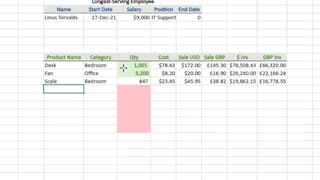
  • Apply conditional formatting techniques to visualize patterns and insights in your data

  • Use filters and advanced filter tools to extract meaningful information quickly

  • Organize, sort, and clean datasets for better readability and analysis

  • Format, protect, and customize Excel workbooks for secure and efficient sharing

Kompetenzen, die Sie erwerben

  • Kategorie: Data Validation
  • Kategorie: Data Visualization
  • Kategorie: Data Management
  • Kategorie: Microsoft Excel
  • Kategorie: File Management
  • Kategorie: Data Analysis Software
  • Kategorie: Spreadsheet Software
  • Kategorie: Data Cleansing
  • Kategorie: Excel Formulas
  • Kategorie: Data Security
  • Kategorie: Data Integrity

Wichtige Details

Zertifikat zur Vorlage

Zu Ihrem LinkedIn-Profil hinzufügen

Kürzlich aktualisiert!

Dezember 2025

Bewertungen

10 Aufgaben

Unterrichtet in Englisch

Erfahren Sie, wie Mitarbeiter führender Unternehmen gefragte Kompetenzen erwerben.

 Logos von Petrobras, TATA, Danone, Capgemini, P&G und L'Oreal

In diesem Kurs gibt es 10 Module

In this module, we will explore how to utilize Conditional Formatting in Excel to make your data visually compelling. From highlighting values based on predefined rules to managing complex formatting, this section will help you enhance your data analysis with ease.

Das ist alles enthalten

10 Videos1 Lektüre

In this module, we will dive into the powerful filtering options in Excel, allowing you to quickly analyze relevant data. Whether you're dealing with simple filters or complex criteria, this section will show you how to refine your data for better insights.

Das ist alles enthalten

9 Videos1 Aufgabe

In this module, we will cover how to sort data in Excel, from simple alphabetical ordering to more complex, custom sorting. You’ll also learn advanced techniques such as reversing and randomizing data to gain greater control over your spreadsheets.

Das ist alles enthalten

6 Videos1 Aufgabe

In this module, we will explore how to use Excel's Find and Select features to quickly locate, replace, and manage data across worksheets. These tools will save you time and effort when working with large sets of data.

Das ist alles enthalten

1 Video1 Aufgabe

In this module, we will focus on how to format cells in Excel to make your data easier to read and visually appealing. You’ll learn how to adjust cell sizes, merge multiple cells, and use text wrapping to ensure optimal display.

Das ist alles enthalten

4 Videos1 Aufgabe

In this module, we will guide you through Excel's printing features, showing you how to set page breaks, format print areas, and adjust layouts. This section ensures you can print your spreadsheets efficiently, focusing only on the necessary data.

Das ist alles enthalten

2 Videos

In this module, we will explore the different ways to secure your Excel workbooks and worksheets. From password protection to restricting cell editing, this section ensures that your data remains protected from unwanted modifications.

Das ist alles enthalten

5 Videos1 Aufgabe

In this module, we will take a deep dive into Excel's Ribbon interface. You’ll learn how to customize it for your specific needs, use the Quick Access Toolbar for efficiency, and understand the information available on the status bar.

Das ist alles enthalten

4 Videos1 Aufgabe

In this module, we will focus on essential workbook operations, including managing multiple workbooks, applying themes, and using AutoRecover to prevent losing valuable data. These foundational skills will help you work efficiently across large projects.

Das ist alles enthalten

4 Videos1 Aufgabe

In this module, we will focus on managing and navigating worksheets within Excel. You’ll learn how to organize, freeze, group, and consolidate data from multiple worksheets, improving your ability to work efficiently with large datasets.

Das ist alles enthalten

9 Videos3 Aufgaben

Dozent

Packt - Course Instructors
Packt
1.239 Kurse296.477 Lernende

von

Packt

Mehr von Data Analysis entdecken

Warum entscheiden sich Menschen für Coursera für ihre Karriere?

Felipe M.
Lernender seit 2018
„Es ist eine großartige Erfahrung, in meinem eigenen Tempo zu lernen. Ich kann lernen, wenn ich Zeit und Nerven dazu habe.“
Jennifer J.
Lernender seit 2020
„Bei einem spannenden neuen Projekt konnte ich die neuen Kenntnisse und Kompetenzen aus den Kursen direkt bei der Arbeit anwenden.“
Larry W.
Lernender seit 2021
„Wenn mir Kurse zu Themen fehlen, die meine Universität nicht anbietet, ist Coursera mit die beste Alternative.“
Chaitanya A.
„Man lernt nicht nur, um bei der Arbeit besser zu werden. Es geht noch um viel mehr. Bei Coursera kann ich ohne Grenzen lernen.“
Coursera Plus

Neue Karrieremöglichkeiten mit Coursera Plus

Unbegrenzter Zugang zu 10,000+ Weltklasse-Kursen, praktischen Projekten und berufsqualifizierenden Zertifikatsprogrammen - alles in Ihrem Abonnement enthalten

Bringen Sie Ihre Karriere mit einem Online-Abschluss voran.

Erwerben Sie einen Abschluss von erstklassigen Universitäten – 100 % online

Schließen Sie sich mehr als 3.400 Unternehmen in aller Welt an, die sich für Coursera for Business entschieden haben.

Schulen Sie Ihre Mitarbeiter*innen, um sich in der digitalen Wirtschaft zu behaupten.

Häufig gestellte Fragen