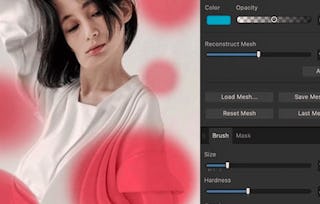
Follow along with your instructor Ally, the creator of Affinity Revolution and unlock the full potential of your photography with Master RAW Editing in Affinity Photo, your step-by-step guide to transforming dull RAW files into stunning, professional-quality images. This course is ideal for photographers, designers, or hobbyists who want to harness the power of uncompressed RAW data to enhance lighting, recover details, and correct color with precision.

Master RAW Editing in Affinity Photo

本课程是 Affinity Photo Editing Mastery 专项课程 的一部分

位教师:Skillshare
访问权限由 Coursera Learning Team 提供
要了解的详细信息

添加到您的领英档案
5 项作业
了解顶级公司的员工如何掌握热门技能

积累特定领域的专业知识
- 向行业专家学习新概念
- 获得对主题或工具的基础理解
- 通过实践项目培养工作相关技能
- 获得可共享的职业证书

该课程共有5个模块
In this introductory module, you'll get a clear overview of what RAW editing is and why it's essential for high-quality image editing. You'll explore the differences between the Develop and Photo personas in Affinity Photo, understand the role of histograms in evaluating image data, and learn how to set up your workspace with class files. This foundational knowledge will prepare you for hands-on editing in the next modules.
涵盖的内容
4个视频1篇阅读材料1个作业1个讨论话题
This module introduces you to the core sliders and adjustments used in RAW image editing. You'll learn practical tips for working with exposure, contrast, and white balance. You'll also explore the tone curve, understand how to use clipping indicators to avoid losing highlights or shadows, and practice essential adjustments through a guided basic RAW edit.
涵盖的内容
5个视频1个作业1个讨论话题
Take your workflow to the next level with a deeper look at lens correction, workspace organization, and editing previews. You’ll explore how to clean up and personalize your workspace, apply optical lens corrections, and experiment with develop options to streamline your editing process. This module helps you build a flexible, efficient editing routine.
涵盖的内容
5个视频1个作业1个讨论话题
Put your knowledge to the test with hands-on portrait editing projects. This module walks you through the editing process of two different portrait scenarios, allowing you to apply adjustments across both Develop and Photo Personas. These real-world examples reinforce the skills you’ve developed so far and demonstrate how to adapt them to various lighting and subject conditions.
涵盖的内容
4个视频1个作业1个讨论话题
The final module introduces batch processing techniques that can save you time and boost productivity. You’ll learn how to apply presets to multiple images and create custom macros for more advanced batch edits. The course wraps up with a brief conclusion to reflect on your progress and prepare you for continued learning.
涵盖的内容
3个视频1个作业1次同伴评审1个讨论话题
获得职业证书
将此证书添加到您的 LinkedIn 个人资料、简历或履历中。在社交媒体和绩效考核中分享。
位教师

提供方
人们为什么选择 Coursera 来帮助自己实现职业发展

Felipe M.

Jennifer J.

Larry W.