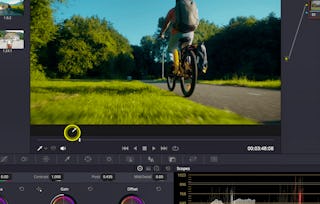
Start your journey into the world of video editing with DaVinci Resolve 19—the go-to tool for creators, editors, and filmmakers. In this beginner-friendly course, taught by instructor Adi Singh, you’ll learn the essential skills to confidently navigate the software, set up your projects, and edit your first video from start to finish. We’ll cover everything from project and color management settings to trimming clips, working with timelines, using transitions, and adding text animations. You'll also explore productivity-boosting features like smart bins, proxy media, and keyboard shortcuts that streamline your workflow.

DaVinci Resolve 19 Masterclass: Video Editing Basics

本课程是 DaVinci Resolve 专项课程 的一部分

位教师:Skillshare
访问权限由 Coursera Learning Team 提供
5,250 人已注册
要了解的详细信息

添加到您的领英档案
6 项作业
了解顶级公司的员工如何掌握热门技能

积累特定领域的专业知识
- 向行业专家学习新概念
- 获得对主题或工具的基础理解
- 通过实践项目培养工作相关技能
- 获得可共享的职业证书

该课程共有6个模块
Start your journey with a strong technical foundation. In this module, you'll learn how to configure essential project and preference settings in DaVinci Resolve 19 to match your editing needs and system capabilities. You'll also explore color management settings that prepare your project for accurate visual output, ensuring you’re set up for efficient and effective editing.
涵盖的内容
4个视频1篇阅读材料1个作业1个讨论话题
Master the layout of DaVinci Resolve 19 and get familiar with the tools you'll use throughout your editing workflow. This module breaks down the main interface areas—including the Media and Edit pages—and shows you how to organize your footage using Power Bins and Smart Bins. By the end, you'll be confidently moving through the platform and ready to begin editing.
涵盖的内容
4个视频1个作业1个讨论话题
Take control of your edit with the skills to build and manage timelines. In this hands-on module, you’ll import footage, trim clips, and apply keyboard shortcuts for faster edits. You'll also learn how to use proxy media to enhance playback performance, giving you smoother control over high-resolution projects.
涵盖的内容
4个视频1个作业1个讨论话题
Elevate your edits with more advanced tools. This module shows you how to build multi-layer sequences, apply transitions, and fine-tune clips using the Inspector panel. You'll gain the ability to manipulate video properties like scale, position, and opacity, adding polish and narrative flow to your visual storytelling.
涵盖的内容
3个视频1个作业1个讨论话题
Bring your edits to life with engaging visual effects. In this module, you'll learn how to apply transitions, text animations, and generator effects to enhance your videos creatively. You'll also use adjustment clips to make non-destructive changes across layers, streamlining your revision process while maintaining flexibility.
涵盖的内容
5个视频1个作业1个讨论话题
Finish strong by learning how to animate and deliver your final project. This final module covers speed ramping for dynamic pacing, animation tools like Magic Zoom and Magic Animate, and proper export settings for various platforms. You’ll wrap up the course with a fully edited and exported video that showcases your new skills.
涵盖的内容
4个视频1个作业1次同伴评审1个讨论话题
获得职业证书
将此证书添加到您的 LinkedIn 个人资料、简历或履历中。在社交媒体和绩效考核中分享。
位教师

提供方
人们为什么选择 Coursera 来帮助自己实现职业发展

Felipe M.

Jennifer J.

Larry W.

Chaitanya A.
学生评论
- 5 stars
69.56%
- 4 stars
13.04%
- 3 stars
4.34%
- 2 stars
4.34%
- 1 star
8.69%
显示 3/23 个
已于 Dec 24, 2025审阅
Brilliant Course - step-by-step walkthrough with Adi for all of a basic functions that I am looking for as a beginner!
已于 Feb 26, 2026审阅
Easy to understand, provides useful files to use too
已于 Dec 23, 2025审阅
The content in this course is very good. I think that this course is sufficient to teach you the basics of the davinci resolve .