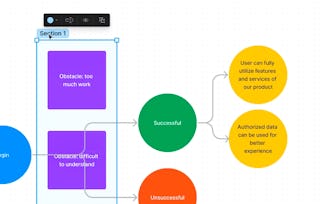
Create High-Fidelity Designs and Prototypes in Figma is the fifth course in a certificate program that will equip you with the skills you need to apply to entry-level jobs in user experience (UX) design. In this course, you will follow step-by-step tutorials to learn how to create high-fidelity designs, called mockups, in Figma, a popular design tool. Then, you’ll turn those designs into an interactive prototype that works like a finished product. You’ll conduct research to collect feedback about your designs and make improvements. Finally, you’ll learn how to share your designs with development teams and highlight your work in your professional UX portfolio.

Create High-Fidelity Designs and Prototypes in Figma

Create High-Fidelity Designs and Prototypes in Figma
本课程是 Google UX Design 专业证书 的一部分
访问权限由 New York State Department of Labor 提供
322,744 人已注册
您将学到什么
Build mockups and high-fidelity prototypes in the design tool Figma.
Define and apply common visual design elements and principles.
Demonstrate how design systems can be used to organize, standardize, and enhance designs.
Understand the role of design critique sessions and feedback while iterating on designs.
您将获得的技能
您将学习的工具
要了解的详细信息

可分享的证书
添加到您的领英档案
作业
24 项作业
授课语言:英语(English)
了解顶级公司的员工如何掌握热门技能

积累 Design and Product 领域的专业知识
本课程是 Google UX Design 专业证书 专项课程的一部分
在注册此课程时,您还会同时注册此专业证书。
- 向行业专家学习新概念
- 获得对主题或工具的基础理解
- 通过实践项目培养工作相关技能
- 通过 Google 获得可共享的职业证书

该课程共有5个模块
获得职业证书
将此证书添加到您的 LinkedIn 个人资料、简历或履历中。在社交媒体和绩效考核中分享。
位教师
授课教师评分
(1,373个评价)
提供方


人们为什么选择 Coursera 来帮助自己实现职业发展

Felipe M.
自 2018开始学习的学生
''能够按照自己的速度和节奏学习课程是一次很棒的经历。只要符合自己的时间表和心情,我就可以学习。'

Jennifer J.
自 2020开始学习的学生
''我直接将从课程中学到的概念和技能应用到一个令人兴奋的新工作项目中。'

Larry W.
自 2021开始学习的学生
''如果我的大学不提供我需要的主题课程,Coursera 便是最好的去处之一。'

Chaitanya A.
''学习不仅仅是在工作中做的更好:它远不止于此。Coursera 让我无限制地学习。'
学生评论
- 5 stars
87.45%
- 4 stars
10%
- 3 stars
1.56%
- 2 stars
0.43%
- 1 star
0.54%
显示 3/4799 个
VK
已于 Oct 21, 2023审阅
Amazing content from google, they not only cover figma also they concentrated on UX and other design aspects, Very helpful to build by career. Thank you Coursera & Google.
NR
已于 Apr 22, 2021审阅
Amazing content from google, they not only cover figma also they concentrated on UX and other design aspects, Very helpful to build by career. Thank you Coursera & Google.
RS
已于 Mar 23, 2021审阅
Working within Figma, you really learn a lot about the program and its benefits. The course teaches you in great detail how to successfully create hifi designs, and is packed with a ton of knowledge.