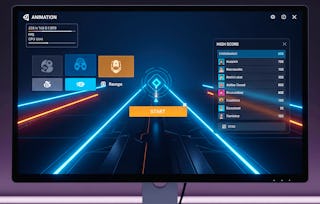
By the end of this course, learners will be able to design custom inspectors, implement property and decorator drawers, integrate palettes, apply editor events, and distribute professional Unity editor tools. Through hands-on projects, they will extend Unity’s editor environment to streamline workflows, manage assets more efficiently, and build reusable tools for collaborative development.
您将学到什么
Create custom inspectors and property drawers in Unity.
Build reusable editor tools to streamline development.
Package and distribute professional Unity editor extensions.
您将获得的技能
要了解的详细信息

添加到您的领英档案
November 2025
23 项作业
了解顶级公司的员工如何掌握热门技能

该课程共有5个模块
This module introduces the fundamentals of Unity editor scripting, covering the basics of creating custom menu items, building test levels, and working with Gizmos to visualize objects in the Scene view. Learners will also gain hands-on experience with grid snapping and foundational scripting for editor tools.
涵盖的内容
18个视频5个作业
This module explores custom inspectors, property drawers, and decorator drawers to improve inspector usability. Learners will design specialized inspectors, create palette windows, and build GUI foundations that streamline workflows for Unity projects.
涵盖的内容
16个视频5个作业
This module focuses on integrating palettes, handling editor events, and utilizing the Handles class. Learners will customize GUI styles, apply skins, and manage different editor modes to enhance interactivity and visual clarity.
涵盖的内容
14个视频5个作业
This module covers intermediate concepts such as creating reusable level settings, developing DLL libraries, and managing texture imports. Learners will package tools for reuse and refine project workflows through modular scripting.
涵盖的内容
7个视频3个作业
This module teaches advanced editor scripting concepts, including build feature integration, object modification, and project-wide search functionality. Learners will also focus on testing and distributing tools for collaborative Unity development.
涵盖的内容
28个视频5个作业
从 Design and Product 浏览更多内容
状态:免费试用
状态:免费试用
状态:免费试用
状态:免费试用
人们为什么选择 Coursera 来帮助自己实现职业发展


常见问题
To access the course materials, assignments and to earn a Certificate, you will need to purchase the Certificate experience when you enroll in a course. You can try a Free Trial instead, or apply for Financial Aid. The course may offer 'Full Course, No Certificate' instead. This option lets you see all course materials, submit required assessments, and get a final grade. This also means that you will not be able to purchase a Certificate experience.
When you purchase a Certificate you get access to all course materials, including graded assignments. Upon completing the course, your electronic Certificate will be added to your Accomplishments page - from there, you can print your Certificate or add it to your LinkedIn profile.
Yes. In select learning programs, you can apply for financial aid or a scholarship if you can’t afford the enrollment fee. If fin aid or scholarship is available for your learning program selection, you’ll find a link to apply on the description page.
更多问题
提供助学金,