Master the art of layout and design with Adobe InDesign—an industry-standard tool for creating stunning print and digital content. This course empowers you with essential skills that are highly valued across publishing, marketing, and creative industries.


您将学到什么
Master Adobe InDesign to handle a wide range of communication tasks efficiently
Navigate InDesign's interface and apply its tools to create modern design projects
Utilize advanced features like Liquid Layout, ePub, and Publish Online for impactful visual communication
您将获得的技能
要了解的详细信息

添加到您的领英档案
November 2025
12 项作业
了解顶级公司的员工如何掌握热门技能

该课程共有12个模块
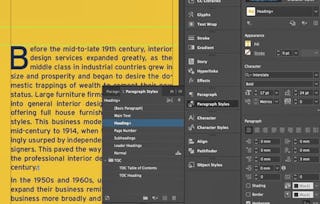
In this section, we explore InDesign's workspace, document setup, and core tools for print and digital layouts, emphasizing practical skills for professional design workflows.
涵盖的内容
2个视频2篇阅读材料1个作业
In this section, we explore creating and formatting text and shape objects in Adobe InDesign to design a business card layout with precise visual properties and cohesive design elements.
涵盖的内容
1个视频1篇阅读材料1个作业
In this section, we create square social media layouts in InDesign, organize elements using the Layers panel, and integrate text and graphics for multi-platform use.
涵盖的内容
1个视频5篇阅读材料1个作业
In this section, we explore importing and formatting text from Microsoft Word, tables from Excel, and applying styles in InDesign to enhance design efficiency and consistency.
涵盖的内容
1个视频8篇阅读材料1个作业
In this section, we explore CMYK, RGB, and spot color models, emphasizing their applications in design and publishing to ensure accurate visual outcomes and avoid output discrepancies.
涵盖的内容
1个视频2篇阅读材料1个作业
In this section, we apply color models, import and manage graphic resources, and configure object layer options for professional print design outcomes.
涵盖的内容
1个视频9篇阅读材料1个作业
In this section, we cover transparency, blend modes, and effects in InDesign for complex UI designs.
涵盖的内容
1个视频4篇阅读材料1个作业
In this section, we apply effects to text while maintaining editability, use step and repeat for precise duplication, and create custom shapes with Pathfinder commands. These techniques enhance design efficiency and visual consistency.
涵盖的内容
1个视频8篇阅读材料1个作业
In this section, we explore advanced typographic techniques including nested styles, OpenType features, and QR code generation to enhance design efficiency and professional output.
涵盖的内容
1个视频7篇阅读材料1个作业
In this section, we explore step and repeat, print-ready PDF/X creation, and color separations in InDesign to ensure high-quality print results through practical techniques and tools.
涵盖的内容
1个视频4篇阅读材料1个作业
In this section, we explore creating interactive documents in InDesign, focusing on hyperlinks, multimedia integration, and exporting to ePUB and Publish Online formats with AI enhancements.
涵盖的内容
1个视频7篇阅读材料1个作业
In this section, we explore registering a Packt account, identifying default InDesign keyboard shortcuts, and customizing them for efficient workflow and enhanced productivity.
涵盖的内容
1个视频1篇阅读材料1个作业
位教师

提供方
从 Support and Operations 浏览更多内容
状态:免费试用
状态:免费试用Skillshare
状态:免费试用
状态:免费试用
人们为什么选择 Coursera 来帮助自己实现职业发展


常见问题
Yes, you can preview the first video and view the syllabus before you enroll. You must purchase the course to access content not included in the preview.
If you decide to enroll in the course before the session start date, you will have access to all of the lecture videos and readings for the course. You’ll be able to submit assignments once the session starts.
Once you enroll and your session begins, you will have access to all videos and other resources, including reading items and the course discussion forum. You’ll be able to view and submit practice assessments, and complete required graded assignments to earn a grade and a Course Certificate.
更多问题
提供助学金,