Lorsque vous vous inscrivez à ce cours, vous devez également sélectionner un programme spécifique.
Apprenez de nouveaux concepts auprès d'experts du secteur
Acquérez une compréhension de base d'un sujet ou d'un outil
Développez des compétences professionnelles avec des projets pratiques
Obtenez un certificat professionnel partageable
Il y a 5 modules dans ce cours
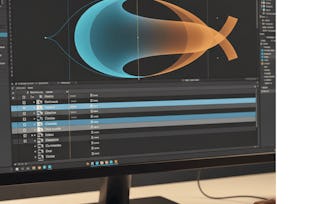
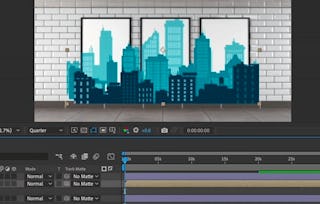
Ready to take your animation skills to the next level? In this intermediate step of the After Effects journey, instructor Hongshu Guo helps you go beyond the basics and start animating like a pro. This course picks up where the fundamentals left off, diving into transitions, layered effects, and polished animation techniques.
You’ll learn how to offset layers, use trim path and masking effects, animate text and complex compositions, and add the kind of visual polish that makes motion graphics stand out. With each lesson, you’ll build toward a final project where you’ll design and animate a custom title or logo reveal.
By completing this course, you’ll gain the confidence to animate more complex scenes, explore After Effects’ deeper toolset, and finish your projects with creative flair. If you're looking to build a portfolio-ready animation and unlock the next phase of your creative journey, this course is your launchpad.
Instructor bio:
Hi, I’m Hongshu Guo, a Motion Graphics instructor with over 40,000 students online. I help beginner animators master After Effects through clear, hands-on courses. You can also explore free tutorials on my YouTube channel, Motion Circles, or join our community on Discord to connect with fellow learners.
YouTube: www.youtube.com/@motioncircles
Discord: https://discord.gg/weezcdqe
Start your After Effects journey by learning how to animate with layers. In this module, you'll explore foundational animation tools, including offset layering and the Trim Path effect, to create smooth, engaging motion. You'll also learn how to combine multiple animated layers to build more complex compositions with visual rhythm and clarity.
Inclus
2 vidéos2 lectures1 devoir1 sujet de discussion
Afficher les informations sur le contenu du module
2 vidéos•Total 9 minutes
Offset Layers•3 minutes
Trim Path•6 minutes
2 lectures•Total 20 minutes
Introduction•10 minutes
Project Instructions•10 minutes
1 devoir•Total 30 minutes
Module 1 Quiz•30 minutes
1 sujet de discussion•Total 10 minutes
New Discussion Prompt•10 minutes
Creating Transitions & Motion Effects
Module 2•1 heure à terminer
Détails du module
In this module, you’ll learn how to connect scenes and guide attention using professional transition techniques. From simple wipes and fades to more dynamic reveals, you’ll practice designing smooth transitions that enhance storytelling and improve the flow of your animations.
Inclus
2 vidéos1 devoir1 sujet de discussion
Afficher les informations sur le contenu du module
2 vidéos•Total 27 minutes
Transition•18 minutes
Transition Effects•9 minutes
1 devoir•Total 30 minutes
Module 2 Quiz•30 minutes
1 sujet de discussion•Total 10 minutes
New Discussion Prompt•10 minutes
Building a Slot Machine Animation
Module 3•1 heure à terminer
Détails du module
Now it’s time to put your skills to the test with a creative project. This module walks you through designing a complete slot machine animation using layered components. You’ll animate handles, reels, and symbols—learning how to coordinate elements to simulate mechanical motion and interactive sequences.
Inclus
3 vidéos1 devoir1 sujet de discussion
Afficher les informations sur le contenu du module
3 vidéos•Total 25 minutes
Base of Slot machine•11 minutes
Top of Slot machine•10 minutes
Handle animation•4 minutes
1 devoir•Total 30 minutes
Module 3 Quiz•30 minutes
1 sujet de discussion•Total 10 minutes
New Discussion Prompt•10 minutes
Dynamic Text & Name Animations
Module 4•1 heure à terminer
Détails du module
Make your text stand out with timing, style, and personality. In this module, you’ll explore how to animate text layers using scale, opacity, and position, while syncing movements for maximum impact. You’ll also learn how to personalize name and title reveals with creative motion design techniques.
Inclus
2 vidéos1 devoir1 sujet de discussion
Afficher les informations sur le contenu du module
2 vidéos•Total 22 minutes
Text animation•8 minutes
Name Animation•14 minutes
1 devoir•Total 30 minutes
Module 4 Quiz•30 minutes
1 sujet de discussion•Total 10 minutes
New Discussion Prompt•10 minutes
Final Enhancements & Export
Module 5•2 heures à terminer
Détails du module
Wrap up your animation with polish and precision. In this final module, you’ll add finishing touches like secondary animations and subtle effects to refine your work. Then, you’ll learn how to export your project with the right settings for sharing or portfolio use. You’ll also submit your final animation for peer review and celebrate your progress.
Inclus
3 vidéos1 devoir1 évaluation par les pairs1 sujet de discussion
Afficher les informations sur le contenu du module
3 vidéos•Total 17 minutes
Extra animation•10 minutes
Final Touch•6 minutes
Congrats!•1 minute
1 devoir•Total 30 minutes
Module 5 Quiz•30 minutes
1 évaluation par les pairs•Total 60 minutes
Course Project•60 minutes
1 sujet de discussion•Total 10 minutes
New Discussion Prompt•10 minutes
Obtenez un certificat professionnel
Ajoutez ce titre à votre profil LinkedIn, à votre curriculum vitae ou à votre CV. Partagez-le sur les médias sociaux et dans votre évaluation des performances.
Skillshare is an online learning community where you can take classes from real working creatives. Unlock personal and professional growth, build your skills, make connections, and find your happy place.
Pour quelles raisons les étudiants sur Coursera nous choisissent-ils pour leur carrière ?
Felipe M.
Étudiant(e) depuis 2018
’Pouvoir suivre des cours à mon rythme à été une expérience extraordinaire. Je peux apprendre chaque fois que mon emploi du temps me le permet et en fonction de mon humeur.’
Jennifer J.
Étudiant(e) depuis 2020
’J'ai directement appliqué les concepts et les compétences que j'ai appris de mes cours à un nouveau projet passionnant au travail.’
Larry W.
Étudiant(e) depuis 2021
’Lorsque j'ai besoin de cours sur des sujets que mon université ne propose pas, Coursera est l'un des meilleurs endroits où se rendre.’
Chaitanya A.
’Apprendre, ce n'est pas seulement s'améliorer dans son travail : c'est bien plus que cela. Coursera me permet d'apprendre sans limites.’
When will I have access to the lectures and assignments?
To access the course materials, assignments and to earn a Certificate, you will need to purchase the Certificate experience when you enroll in a course. You can try a Free Trial instead, or apply for Financial Aid. The course may offer 'Full Course, No Certificate' instead. This option lets you see all course materials, submit required assessments, and get a final grade. This also means that you will not be able to purchase a Certificate experience.
What will I get if I subscribe to this Specialization?
When you enroll in the course, you get access to all of the courses in the Specialization, and you earn a certificate when you complete the work. Your electronic Certificate will be added to your Accomplishments page - from there, you can print your Certificate or add it to your LinkedIn profile.
Is financial aid available?
Yes. In select learning programs, you can apply for financial aid or a scholarship if you can’t afford the enrollment fee. If fin aid or scholarship is available for your learning program selection, you’ll find a link to apply on the description page.