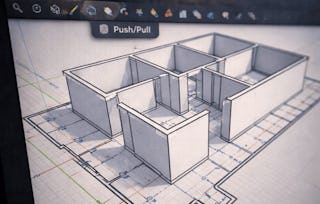
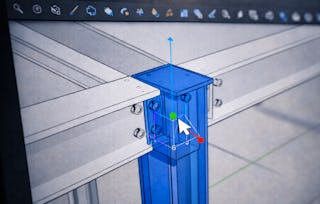
腦袋裡常裝著許多立體物件的形貌,想分享出來,可是不知道怎麼表達?怎麼將心中那個立體的形象,「繪製」出來呢?3D建模技術,幫助我們建構最直觀可以理解的立體模型,跳過利用平面圖解讀三維物體的過程,最能直接有效地表達我們的想法。

工程圖學 3D CAD

工程圖學 3D CAD
Ce cours fait partie de Spécialisation "CAD/BIM技術與應用"

Instructeur : 康仕仲
7 799 déjà inscrits
Inclus avec
Obtenez un aperçu d'un sujet et apprenez les principes fondamentaux.
94 avis
8 heures à compléter
Planning flexible
Apprenez à votre propre rythme
Compétences que vous acquerrez
- Catégorie : Computer Graphic Techniques
- Catégorie : Visualization (Computer Graphics)
- Catégorie : Computer Graphics
- Catégorie : Graphic and Visual Design Software
- Catégorie : 3D Assets
- Catégorie : Computer-Aided Design
Outils que vous découvrirez
- Catégorie : Design Software
- Catégorie : SketchUp (3D Modeling Software)
Détails à connaître

Certificat partageable
Ajouter à votre profil LinkedIn
Évaluations
4 devoirs
Enseigné en Chinois (traditionnel)
Découvrez comment les employés des entreprises prestigieuses maîtrisent des compétences recherchées

Élaborez votre expertise du sujet
Ce cours fait partie de la Spécialisation "CAD/BIM技術與應用"
Lorsque vous vous inscrivez à ce cours, vous êtes également inscrit(e) à cette Spécialisation.
- Apprenez de nouveaux concepts auprès d'experts du secteur
- Acquérez une compréhension de base d'un sujet ou d'un outil
- Développez des compétences professionnelles avec des projets pratiques
- Obtenez un certificat professionnel partageable

Il y a 7 modules dans ce cours
Obtenez un certificat professionnel
Ajoutez ce titre à votre profil LinkedIn, à votre curriculum vitae ou à votre CV. Partagez-le sur les médias sociaux et dans votre évaluation des performances.
Instructeur
Offert par


En savoir plus sur Mechanical Engineering
National Taiwan University
National Taiwan University
Pour quelles raisons les étudiants sur Coursera nous choisissent-ils pour leur carrière ?

Felipe M.
Étudiant(e) depuis 2018
’Pouvoir suivre des cours à mon rythme à été une expérience extraordinaire. Je peux apprendre chaque fois que mon emploi du temps me le permet et en fonction de mon humeur.’

Jennifer J.
Étudiant(e) depuis 2020
’J'ai directement appliqué les concepts et les compétences que j'ai appris de mes cours à un nouveau projet passionnant au travail.’

Larry W.
Étudiant(e) depuis 2021
’Lorsque j'ai besoin de cours sur des sujets que mon université ne propose pas, Coursera est l'un des meilleurs endroits où se rendre.’

Chaitanya A.
’Apprendre, ce n'est pas seulement s'améliorer dans son travail : c'est bien plus que cela. Coursera me permet d'apprendre sans limites.’
Faites progresser votre carrière avec un diplôme en ligne
Obtenez un diplôme auprès d’universités de renommée mondiale - 100 % en ligne




Foire Aux Questions
Plus de questions
Aide financière disponible,